What pages does a service business website actually need?
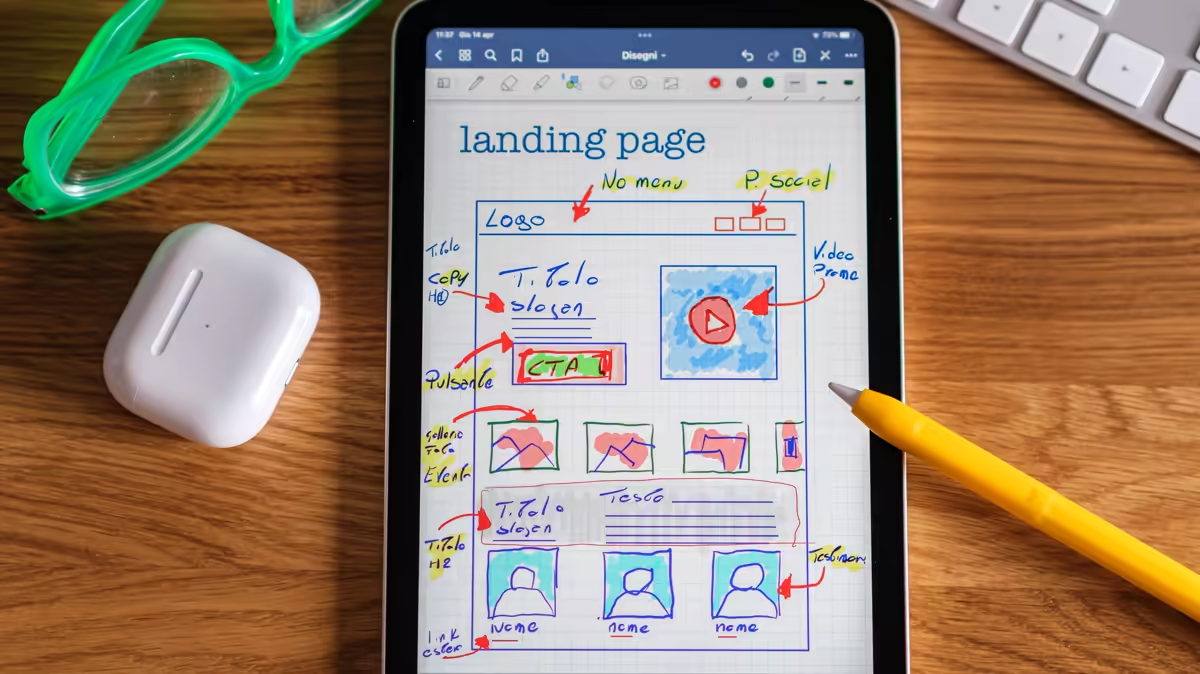
Not five, not fifty: the ones that answer the questions somebody asks before hiring you. The minimum structure that works, what goes on each page and the three mistakes that make people leave.
· Web design and e-commerce
The question usually arrives as «how many pages shall we build?», and put that way it has no answer. The useful version is: what does somebody ask themselves before hiring a service like yours, and which page answers each of those questions?
The questions are nearly always the same six. The structure follows from them.
The minimum structure that works
1. Home — «is this for me?»
It has one job: that somebody landing from a search engine understands within five seconds what you do, who for, and what to do next. Nothing more.
The universal mistake: opening with a sentence about the company («we are a consultancy committed to excellence») instead of the visitor's problem. Nobody cares about your commitment before they know whether you solve their problem.
2. One page per service — «do you do exactly my thing?»
A single page listing every service neither ranks nor convinces. One page per service, titled with the search people actually type, is what shows up in search engines and what answers the real doubt.
Each one has to say: what is included, what is not included, how the work is done, what it costs or what the cost depends on, and what to do to get started.
3. Prices — «can I afford this?»
It is the page people most avoid and the one that filters best. Publishing prices — or at least ranges and what moves them — does three things at once: it answers the question everybody has, it saves meetings with people who cannot pay, and it signals that there are no surprises coming.
Publish nothing and you force the visitor to ask for a quote just to find out whether they are in your league. Many will not ask: they go to the next site.
4. Cases or examples — «has this worked for anybody?»
With real figures where you have them, and always with the client's consent where they are named. One case with numbers convinces more than ten adjectives.
5. About us — «who is behind this?»
In professional services this page gets far more visits than people think. With names, faces and real experience. An «about us» page without a single identifiable human being breeds distrust in a sector where you are hiring people.
6. Contact — «how do I start?»
With several routes — form, email, phone, messaging — the real opening hours and a stated response time. And with the shortest form you can manage: every extra field cuts the number of people who send it.
What you have to add, no exceptions
- Legal pages: legal notice, privacy policy and, if you sell, terms of sale. Not optional in either country.
- Frequently asked questions, if people keep asking you the same things. It is the most profitable page to write: done once, it saves emails for years.
- A blog, if you are going to keep it alive. A blog with three posts from two years ago subtracts credibility rather than adding it. Better none than abandoned.
The three mistakes that make people leave
1. Talking about yourself instead of their problem. An objective test: count how many times «we», «our company» and «we offer» appear on your home page, and how many times the customer's problem does. If the first column wins, there is work to do.
2. Not saying what to do next. Every page has to end with one clear action, and one only. Three buttons competing amounts to none.
3. A mobile version that is just a squashed one. Most of your visitors arrive on a phone. If the number cannot be tapped with a thumb, if the text forces zooming, or if the form does not fit, the site does not work however good it looks on your screen.
So how many pages?
For a service business with four lines of work: home, four service pages, prices, cases, about us, contact and the legal pages. Around ten, each with a job assigned to it.
From there you grow through content — articles answering what your customer searches for — not by adding sections to the menu. A menu with twelve entries helps nobody decide.
If this sounds like you
This structure, with the copy written to answer what your customer actually asks, is web and online shop. What it costs and what that depends on is in what a business website costs; being found is in local SEO; and loading fast is in your site is slow.
If you already have a site and what you want to know is which of these pages you are missing, the website review tells you; and to keep it from going stale, your site kept up to date.
We are Mindset & Code: automation, data and development for small businesses. Our own site follows this structure and the prices are published one by one — we would rather you compared them before talking to us. You can see what we do and what it costs.
General guidance. Which legal pages are mandatory depends on the jurisdiction and on whether the site sells or only informs.